Super Accurate Color Match Technique in GIMP
Автор: PIX Cores
Загружено: 2021-11-20
Просмотров: 5014
Описание:
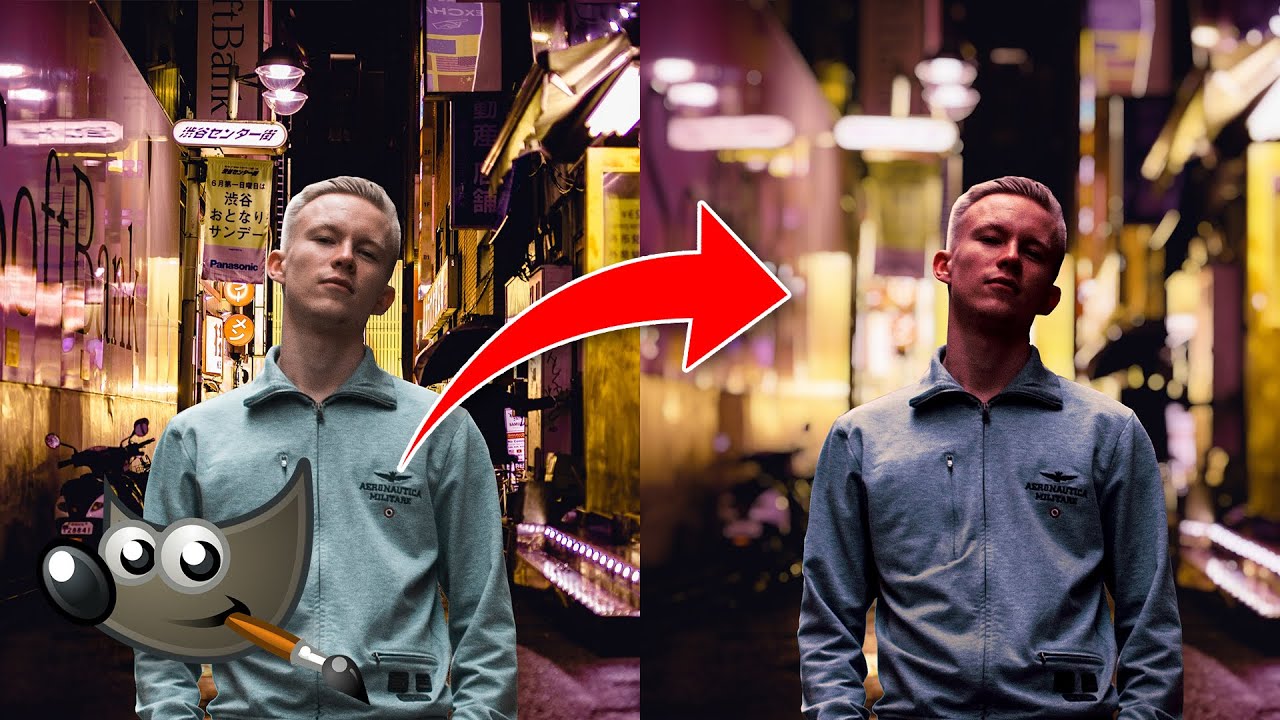
Color and light matching in Gimp is similar to other image manipulation tools, however the technique demonstrated in this video is simple enough for anyone to do, so give it a shot and let us know if you succeeded in matching colour and light.
Download GIMP File: https://drive.google.com/file/d/1DD7_...
Check out article version: https://www.pixcores.com/2021/11/firs...
Join our discord and have fun
Discord- / discord
For more advanced gimp tutorial: https://www.pixcores.com/search/label...
0:00 Introduction
0:27 Set the blending mode to LCH color.
0:44 Use the levels tool (you can also use curves)
1:22 Adjust the midtone to better match the light.
2:43 Create a new layer
2:56 Set the blending mode to Luminance.
3:15 By adding a new layer with a dark grey colour and setting it to the vivid light mode
3:35 Use colour balance to match the color.
3:59 To make the colour more natural, use highlights and shadows.
5:07 Before applying the effect, make more adjustments to match the colour.
6:15 Make the background more attractive by adding depth.
6:27 Change gaussian blur to lens blur to get a more realistic blur.
Повторяем попытку...
Доступные форматы для скачивания:
Скачать видео
-
Информация по загрузке: