HOW TO SEE IP ADDRESS/GATEWAY/DNS IN WINDOWS 11
Автор: Renko-Tech-Studio
Загружено: 2026-02-20
Просмотров: 14
Описание:
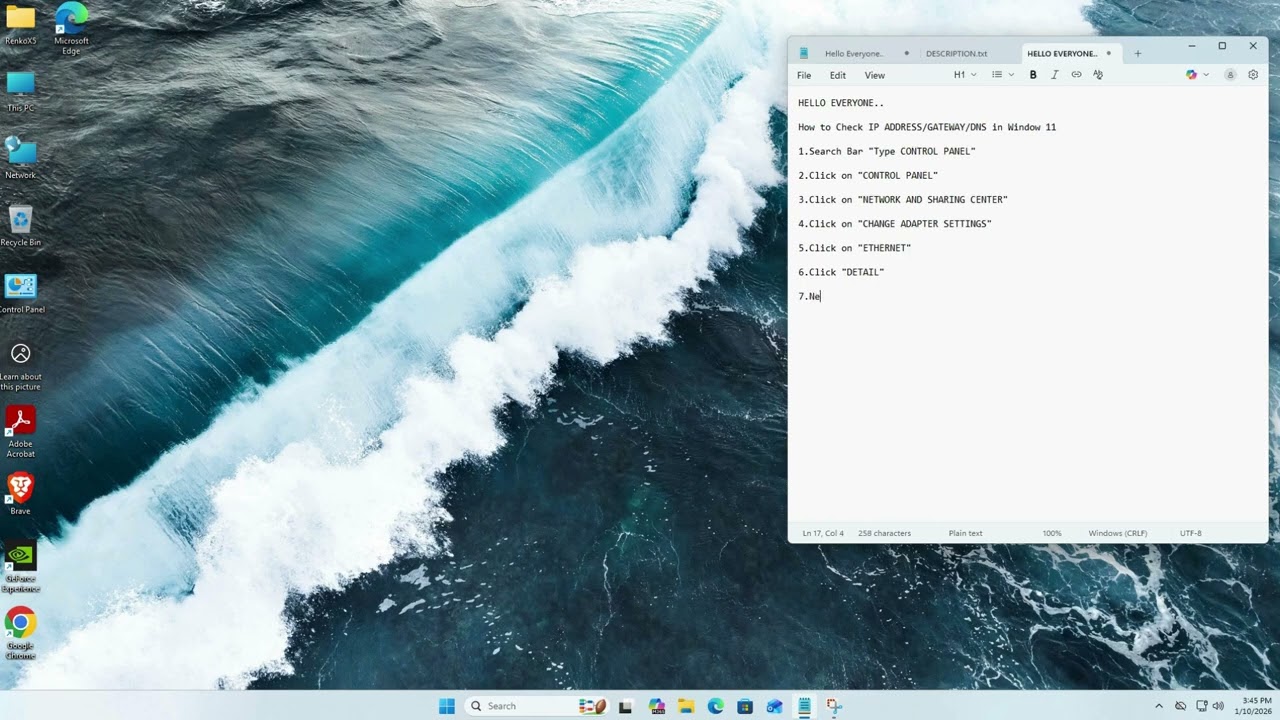
Learn how to see IP ADDRESS/GATEWAY/DNS in Windows 11 Notebook/PC.
#windows #windows11 #windows11guide
1. IP Address
Function:
A unique numerical label assigned to each device connected to a computer network.
Purpose Identification:
It acts as a digital identity for your device (like a home address).
Location Mapping:
It allows the network to know exactly where to send data packets so they reach the correct destination.
2. Default Gateway
Function:
A node (usually a router) that serves as an access point or "exit" for a network.
Purpose:
Inter-network Communication: It connects your local network (LAN) to outside networks (the Internet).
Traffic Routing:
It directs data that is meant for a destination outside your local network. Think of it as the "front door" of your house that leads to the street.
3. DNS (Domain Name System)
Function:
A system that translates human-readable domain names (like google.com) into machine-readable IP addresses (example 1X2.2X0.1X0.X46).
Step-by-step guide shows you how to set up.
• HOW TO SEE IP ADDRESS/GATEWAY/DNS IN WINDO...
--If you enjoy this video, please like and share it.
--Don't forget to subscribe to this channel for more updates.
Повторяем попытку...
Доступные форматы для скачивания:
Скачать видео
-
Информация по загрузке:







![Включаем секретный протокол MTproxy для Telegram против замедлений. [goTelegram скрипт]](https://imager.clipsaver.ru/3O7iigCHd8U/max.jpg)