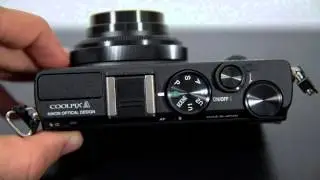
Nikon 1 J4 tutorial video
Автор: MOHAMMED ABBAS
Загружено: 2016-07-08
Просмотров: 3124
Описание:
Nikon 1 J4 tutorial video
The Nikon 1 J4 is a new compact system camera featuring an 18-megapixel “CX” format sensor with no low-pass filter and the Nikon 1 lens mount. Boasting continuous shooting speeds of 20fps with continuous autofocus and 60fps with fixed-point autofocus, Full HD 60p video capture, an improved hybrid auto-focus system, Best Moment Capture and the unique Motion Snapshot Mode, the Nikon J4 also offers more conventional shooting modes like Programmed Auto, Aperture and Shutter Priority, as well as Metered Manual. Also on-board is a 3-inch touchscreen LCD display with 1037k-dots, an electronic shutter, a sensitivity range of ISO 100-12,800, latest EXPEED 4A image-processing engine, built-in Wi-Fi connectivity, an aluminium housing and a built-in pop-up flash. The Nikon The Nikon 1 J4 is mostly made out of aluminium with magnesium alloy reinforced parts and is therefore heavier than you would think based on its size alone, weighing in at 192g for the body only (9g lighter than its predecessor, the J3). It also feels better made than the official product shots would have you believe. With an essentially grip-less design, the Nikon J4 is very much a two-handed affair that requires you to hold the camera's weight in the left hand, clutching the lens, and use your right hand for balance and operating the controls. This is actually a good thing as it forces you to pay attention to holding the camera properly, which in turn goes a long way towards avoiding shake-induced blur in your photos. The new J4 has a very clean, minimalist front plate that's dominated by the Nikon 1 lens mount. Instead of being a scaled-down version of the good old F mount, it's a completely new design that provides 100% electronic communication between the attached lens and the camera body, courtesy of a dozen contacts. Just like on the manufacturer's F-mount SLR cameras, there is a white dot for easy lens alignment, although it has moved from the 2 o'clock position (when viewed front on) to the top of the mount. The lenses themselves feature a short silver ridge on the lens barrel, which needs to be in alignment with said dot in order for you to be able to attach the lens to the camera. While this may require a bit of getting used to, it actually makes changing lenses quicker and easier.
Повторяем попытку...

Доступные форматы для скачивания:
Скачать видео
-
Информация по загрузке: