Complete Live Streaming Gear Breakdown
Автор: Kri Edholm
Загружено: 2026-02-01
Просмотров: 721
Описание:
Just finished a successful livestream event and I'm excited to share the entire setup used. This video will detail how to stream effectively, including a crucial audio cable that really enhanced the overall experience. Learn how to go live on YouTube or any platform using a reliable setup.
CHAPTERS
0:00 Live Stream Event Setup Breakdown
0:19 Post-Event Studio & Event Context
0:45 Microphone Setup: Podium, Owner, and Roaming Mics
2:05 Camera Angles & Live Adjustments
3:43 Connecting Wireless Mics to Roadcaster Pro 2
3:57 Expanding Wireless Mics with XLR Adapters
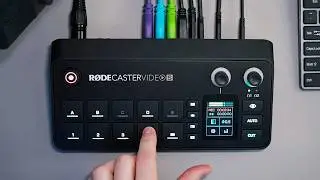
5:12 Integrating Roadcaster Pro 2 with Roadcaster Video
6:08 Laptop and External SSD Connections
6:27 Extended Camera Power with VMount Battery
6:58 Why Roadcaster Pro 2 for Audio Control
7:51 Stream & Record Simultaneously to SSD
8:29 The Audio Cable That Saved the Day: In-House Integration
9:19 Improving In-Person Experience with Integrated Audio
10:11 Benefits of This Live Streaming Setup
Gear highlighted in this video (affiliate links):
Sony FX3: https://geni.us/D5p6Vdr
Wide Lense: https://geni.us/rV9Ng
Zoom Lense: https://geni.us/dBY8Z6
Rodecaster Pro II: https://geni.us/YMrxPN
Rodecaster Video: https://geni.us/BcBAe4
Wireless Mics: https://geni.us/M5CJ7bt
Mic handle: https://geni.us/4nbB
Shotgun Mic: https://geni.us/jiqJ3
XLR to 3.5mm adapter: https://geni.us/xgSS7ND
3.5mm to 6.35mm Audio cable: https://geni.us/WA3Bu
V-Mount battery: https://geni.us/Pk64U4u or https://geni.us/TIBld
Tripod clamp for battery: https://geni.us/JGtow
D-tap to dummy battery: https://geni.us/dE53a1Y
External SSD: https://geni.us/1uPTTaF or https://geni.us/0u7U
Tripod: https://geni.us/2pWTxi
Headphones: https://geni.us/K5ekM3
====================================
This video is not sponsored and everything featured was purchased by me. The links listed are affiliate links and by using them, I will receive a small commission that will have no impact on you. This is an easy way to support my channel.
AI Tools I use to manage my channel (affiliate links):
Tool I use to generate ideas and grow my channel: https://vidiq.com/krico
Turn videos into blog posts: https://koala.sh/?via=kri
Create vertical clips from videos: https://www.opus.pro/?via=kri
Connect
➡️ / kriedholm
➡️ https://threads.com/kriedholm
Thank you for watching!
This video was not paid for by outside persons or manufacturers. As an Amazon Associate, I earn from qualifying purchases.
No gear was supplied to me for this video.
The content of this video and my opinions were not reviewed or paid for by any outside persons.
Повторяем попытку...

Доступные форматы для скачивания:
Скачать видео
-
Информация по загрузке: