Initial Admin Setup in Nexentis | Company Logo, Shops & Permissions
Автор: Verner Technologies inc.
Загружено: 2026-05-31
Просмотров: 2
Описание:
Learn how to complete the initial administrator setup in Nexentis after activating your account.
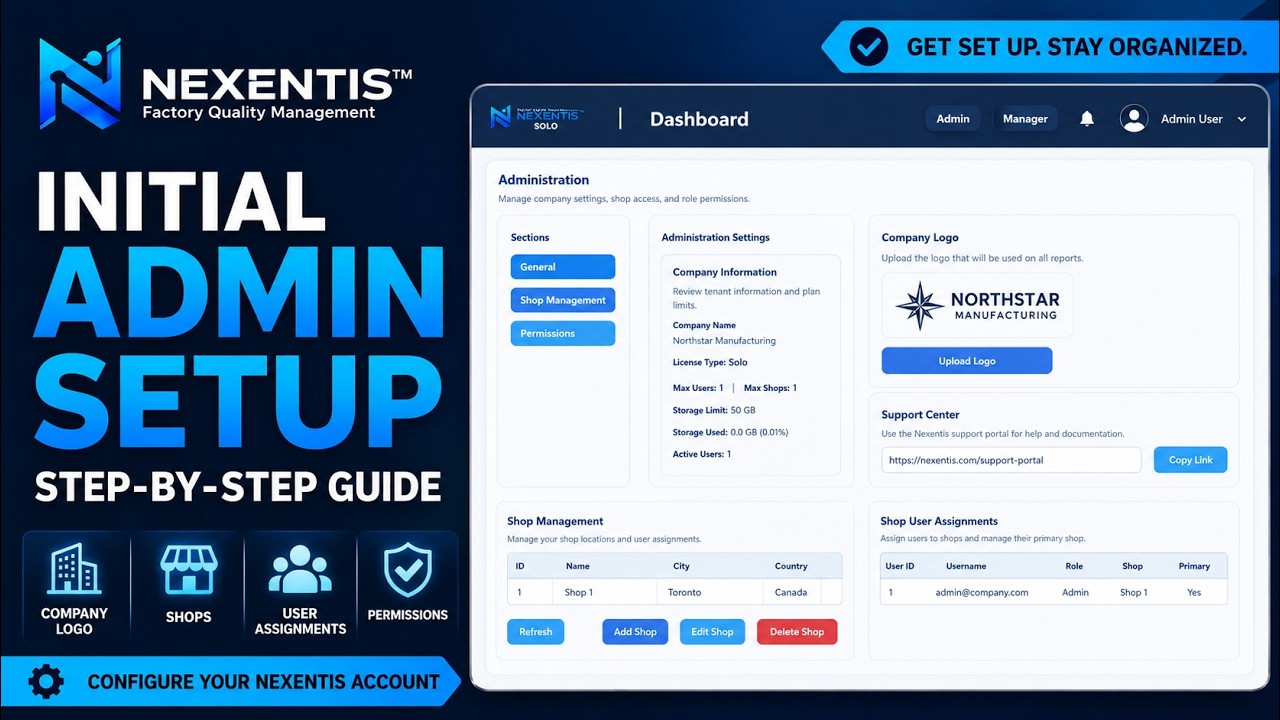
In this tutorial, we show you how to open the Admin section, review your company and license information, upload your company logo, access the support portal link, create a shop location, review shop user assignments, and configure inspector permissions.
Nexentis is a Factory Quality Management solution designed to help manufacturers manage inspections, purchase orders, parts, follow-ups, NCRs, RFIs, reports, and quality documentation from one connected platform.
In this video:
Open the Nexentis Admin section
Review company and plan information
Upload your company logo
Access the support portal link
Create a shop location
Review shop user assignments
Configure inspector permissions
For more information, visit:
https://nexentis.ca
© Verner Technologies inc. All rights reserved.
Повторяем попытку...
Доступные форматы для скачивания:
Скачать видео
-
Информация по загрузке: