She Explains Everything
Welcome to the Learning Journey with She Explains Everything!
Hi there! I’m an engineer and MBA graduate with 5 years of experience in the IT industry, including Accenture Strategy & Consulting. I’ve created this channel to help students, teachers and other professionals across the world learn and grow with me, to make education and learning free and accessible to all.
Whether you're preparing for a job, trying to understand tools & technology, brushing up on school subjects, exploring career advice, or just curious about everyday lifestyle tips- this channel is for you!
This isn’t just a channel - it’s a collective journey of learning. I'll be your go to friend for guidance, clarity, and support.
💬 Comment on what you'd like to learn
🔔 Subscribe so you never miss a helpful video
🤝 Let’s grow, learn, and support each other!
And lastly, thanks for being here! Let’s start this journey together - because learning feels good when we have someone by our side who explains everything!

How to APPLY WATERMARKS, page COLOR and page BORDERS in MS Word?

How to Collaborate in MS Office | Share Files and Grant Edit Permission

How to SAVE files in Microsoft Word (MS Office) | SAVE vs SAVE AS

INSERT Files as ICONS/OBJECTS in Microsoft Word | Insert EXCEL, PDF & PPT Inside Word Document

How to Insert and Edit Tables in MS Word | Table DESIGN Tab | Part 2 of 2

How to Insert and Edit Tables in MS Word | Table LAYOUT Tab | Part 1 of 2

How to DELETE a BLANK PAGE/ANY PAGE in MS Word?

How to DELETE Page Breaks & Section Breaks in Microsoft Word?

How to use MARGINS in MS Word | Double sided printing, 2 Pages per sheet printing & Booklet Creation

Learn to use SECTION BREAKS and type TEXT in COLUMNS | Changing Page Size and Orientation

How to use the 4 PASTE SPECIAL options in MS WORD?

How to type SUBSCRIPTS and SUPERSCRIPTS in MS Word?

How to Automatically Increase Spacing Between Paragraphs in MS Word | Paragraph Formatting options

How to change TEXT CASE (convert all text to uppercase) in Microsoft Word?

How to open and view two Word documents next to each other?

How to HYPERLINK Text and Add BOOKMARKS in Microsoft Word?

How to create a MULTI LEVEL LIST in Microsoft Word?

Learn to Create a simple LIST in Microsoft Word | Bullet & Numbered Lists

How to create an Automatic TABLE OF CONTENTS in Microsoft Word?

How to Remove Image Background in MS Word
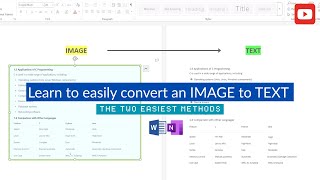
How to CONVERT an IMAGE to TEXT | No Extra Software Needed | MS Word, OneNote

Insert & Edit Images in MS Word | Remove Image Background
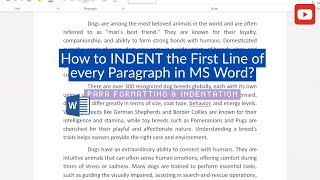
How to Indent First Line & Format Paragraphs in MS Word?

How to write MATH EQUATIONS in MS Word - Detailed explanation in 6 minutes!

Copy & Paste Formatting in MS Word Using Format Painter!

Learn How to Use Page Breaks, Insert Cover Page & Blank Page in MS Word

How to insert DIFFERENT Headers & Footers for each section, Page Numbers?

Microsoft Word Tutorial - Beginner to Intermediate - Part 2 of 3 | Insert Tab + Draw Tab

Microsoft Word Tutorial - Beginner to Intermediate - Part 1 of 3 | Home Tab + Table of Contents

How to add Time Stamps/Time Codes/Chapters to your Youtube video?